Tuesday, November 13, 2012

Building and Protecting My Community

During my day job, I am a designer at Mozilla and I advocate for learning how to understand, contribute and code the web so that you can protect it. I often talk about how the web is a hand crafted community that can only represent the world that we live in when individuals build webpages, so that they can make their mark and be part of the conversation. Two weeks ago, when Hurricane Sandy hit New York, it devastated- and in many ways destroyed the community that I grew up in- Rockaway Beach, New York. I went to my neighborhood and saw that people could not communicate with eachother or the world outside Rockaway- no cell phones, no internet, no power. When I returned home I built a small website- rockawayhelp.com just to give people the information they needed and to provide a way for families of locals to feel more connected. It was this act of webmaking that launched my participation in protecting and rebuilding my physical community.

I feel that the work that I do in the open source community and the open educational resource community prepared me to take on this small bit of leadership. Rockawayhelp.com to date has a minimum of 6,000 hits a day. Our facebook account has 8,873 users and our twitter account has 450 users- not ground breaking, but it's something. We put up a small volunteer form and in the first day got 600 volunteers. We put up a help request form and got 150 requests. We have active conversations on our social media channels and have a real active presence on the physical streets of our community- going into houses, cleaning out basements, connecting people who don't know where their family members are and working with the vets at Team Rubicon and the software developers at Palantir.  Here are 5 lessons that I learned as a designer- that helped translate into community engagement and activism:


Lesson 1: Working in the Open- Creates Community
When I was sitting at home worrying if my parents survived the hurricane- I went online and connected with friends and other Rockaway residents who were watching the local news and having panic attacks about their homes and families. We shared information, brainstormed ideas and gave each other the confidence to venture back into our community when the storm ended. I was scared, but knew that I had an online community. This is something that I learned while working at Mozilla- if you work in the open, you can share information and connect to a like- minded community. We do this daily with our Webmaker activities, starting with Hackasaurus two years ago- at first it was just some geeky librarians, Atul and myself- but then it expanded into this massive OER that people immediately responded to because we blogged, shared free resources and created content as a group- failing publicly and then iterating and improving publicly.

Lesson 2:  Leverage the Expertise of Others
So this one was a no- brainer, but in a disaster like this a lot of things needed to be done- and quickly I saw that I was not good at everything. Just for the website effort- we leveraged Blue State Digital who kindly volunteered with us and helped us to set up a database- an effort lead by Matt Kelley. Additionally, we had some who were good at blogging and others who were on the ground and could give us up to the minute info to communicate out. And when we got those volunteers--- and saw we couldn't figure out how to efficiently organize 1000 + people in one day- we partnered with Team Rubicon who had systems in place and a plan. This is commonplace in tech, you can start a project on git, and then get a collaborator to take on parts and be your wing-man.

Lesson 3: Put out Rough Prototypes- and Iterate
Doing software design- I usually throw out an idea that is crap,  then user test it- figure out what part of it works, and then build on that idea to make a new prototype. It's messy- but it works because you get your concept out there in the hands of real users. We are constantly doing this at Rockawayhelp. We really have never dealt with any of this before- so we have to be alright with trying things out, failing a little, and building a more efficient way of doing things. A simple example of this was that we first were standing in front of the local church and collecting addresses for people who needed help and then assigned them to crews of volunteers. We quickly learned that this wasn't the best way to go about things because we were too few people to get everything done- so we streamlined the system by creating forms.


Lesson 4: Peer Mentoring =  Best way to Learn a new skill
For the past few days I have been working with Palantir on mapping needs and getting help out to the community. I learned their system pretty fast by getting mentoring from Alec and Dave, who are experts in the software. There are also a ton of things that I had no clue how to do- like how to break up concrete or the best way to lift heavy furniture- that we have to do over and over and over- so I ask people who look like they know what they are doing to teach me and then I try it out myself. It's just like a hackjam- where I am learning how to code something by sitting near a code ninja.


Lesson 5: Show Up, Be Present- Get Social Karma
Every good hacker knows that they need street cred- whether that is just being at conferences or making yourself known through some form of social currency (like badges) and that holds true for community activism. You need to walk the walk- pick up a shovel, be authentic and ultimately make an effort to proactively rebuild and empower your community.

Just like the web and open source world, your community and neighborhood is hand crafted and it can only be protected if you learn the inner-workings of it and geek out a little by making it all that it could be.

Saturday, November 3, 2012

rockawayhelp.com is up


A bunch of my colleagues at Mozilla and I worked with the office of State Assemblyman Phil Goldfeder to get up rockawayhelp.com for residents of Rockaway to get accurate- up to date information. We are still working to figure out how to set up some sort of SMS system to help people as they have little- to - no access to wifi but have some ability to do text messages.

Wednesday, October 31, 2012

Rockaway after Sandy

I really am very upset right now and can't yet put into words what it feels like to see your community taken over by the ocean, so for the moment I am just posting some images of what I saw today.

Photos by Adrian Fraser and myself


Wednesday, October 3, 2012

Designing the Platform to Teach the Next Generation of Webmakers

Mark wrote about vision, then Erin wrote about product definition, and then Chris wrote about the engineering and so now, I will give you the fourth chapter in the Webmaker epic: how we are designing Webmaker.

Several weeks back I gave a lightning talk at the Mozilla all hands in Toronto on this very topic. Here is a screencast of that (slowed down to human speed- so it's longer than 3 minutes)


Concretely, what does this mean we are doing?

1. Evolve the brochure site into a platform
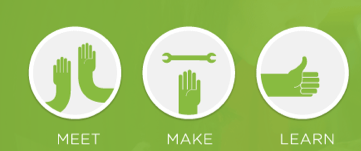
By evolving the architecture of Webmaker to be focused on the maker (learner) we will shift from a brochure site into a platfrom. We will be designing an experience for a user who is coming to Webmaker to make something. At Mozilla we are super successful at activating users to take action at physical events and meetups like MozFest - we want to harness that grassroots spirit and concretely mobilize users to feel empowered to come to Webmaker and make things. This will mean right from the start giving the user simple calls to action to make, meet and learn.


Above is a sketch of what the future webmaker.org could look like.
The focus will be on things that you can make and users will be able to open projects within or be directed to the appropriate tool to make that project.


2. Unify the user experience
In order to evolve the site we are going to focus on unifying the Webmaker user experience and interface. This means:
  • designing a unified login
  • establishing common terminology, controls and user interface
  • incorporating the tools into the same experience
  • designing learning pathways that could span multiple tools and projects
  • defining calls to action focused on making something
  • creating opportunities for self organizing and personalized curation of learning
  • empowering the user by giving them the ability to set goals, receive data and feedback on their making and learning activities
  • evolving the branding so that the language and visual vocabulary focus on making


One aspect of this will be implementing a universal navigation (wireframed above- click to see more exploratory images). This is a navigation that we will be implemented across all properties in Webmaker, and allow the user at any given moment to tap in to their projects, learning dashboard and community. At first we will be implementing a version of this in Thimble and as we iterate, we will roll it out across Webmaker- apps and web properties. The idea is that it will be a personalized navigation- so it will speak to your unique Webmaker experience.

 interactive filter (sketch)

projects based on your interests

When you log in to Webmaker through Persona, you will be able to access a dynamically generated set of projects that are catered to your specific interests - through some kind of interactive filter. In conjunction with the projects, the personalization will extend throughout the site - you will see events in your region, people who have similar interest, skills that you can improve upon etc. Some of the specifics of this are still being brainstormed by our Learning and Engineering teams, however this is just a rough sketch of what will be possible in the future.

3. Design with learners, iterate, release- rinse- repeat.
Our m.o. here is to design not just a user experience- but a learning experience. We will be designing with learners and those hacktivators who are in the position to teach or empower learners so that we are constantly testing, iterating and improving our product.  We have a fantastic community of learners and hacktivators in the Hive - in New York, London, Berlin, and beyond. Additionally we have a large extended community of individuals passionate about contributing to an open source and open educational resource project. We are going to work with this community as a lab- where we can launch early and often, user test and develop this platform out to be a tool that they will use.


There's a lot of work described here and we aren't going to being rolling it out all at once. Our next major milestone will be in November. We are going to be releasing a bunch of half baked and fully baked ideas at the Mozilla Festival. It is a great chance for us to user test concepts, incubate ideas and elevate great ideas into our products.  It's going to be a fantastic few days where our designers will be out in the field doing what we do best- making stuff in the open, with passionate community members. To continue to be part of the conversation, please join the Webmaker mailing list or come to our weekly calls.

Thursday, September 13, 2012

Demo: Getting Badges in to Thimble

Lately we've been preoccupied with getting a working proof of concept prototype for issuing badges in the Thimble and Popcorn editors. As I've talked about before, badges give you the opportunity to gain embedded assessment and real time feedback during your web making activity.  Our goal is to get badges into Thimble by the Mozilla Festival, so we really needed a proof of concept as a jumping off point for us to move forward with iterating. Here is a demo of that prototype made by myself and Atul Varma:


You can check out the actual prototype:  here: http://thimble-badges-movie.toolness.org/

The prototype doesn't represent the look and feel or the user experience design, however it does explore all of the different components of getting a badge within the editor and allows us to see what the touchpoints are for the end user.

Tuesday, September 11, 2012

Mobile Webmaking Concept : Meeting Makers Where They Are


A few months ago I was at a Hive NYC Summer Code Party pop up at the YMCA. It was the dog days of summer hot and youth came to visit us in the gymnasium to hack on computers after a full day of swimming, running and all sorts of outdoorsy goodness. It struck me that asking them to stop what they were doing and go on computers to learn how to code was a bit counter intuitive - and certainly not meeting youth where they are. If we are going to be engaging the "next generation of webmakers" we need to meet youth where they are,  be flexible and mobile.  As we know--- the web is not just accessed from a single computer- but from many different kinds of devices.

So, long story short- after some additional thought provoking conversations with Mark Surman about the possibilities of mobile- I came up with this concept sketch for what is kind of like a swiss army knife mobile concept that combines Thimble, the X-Ray Goggles and Popcorn functionality in a mobile device.  I'm going to walk you through the concept sketch, but you can also see it on Flickr

A user has the option to take a photo, video, audio or text message with their mobile device


She has the option to turn the {image} into a webpage

She gets prompted to choose a template from the mobile projects gallery. 
(reference: Webmaker projects) 

 
Now she has the ability to touch page elements
    and edit- just like she would with the X-Ray Goggles

She now can share the webpage
 
by clicking on the actual url or sharing directly on the social network sites 
(similar functionality, ui controls etc to Thimble and Popcorn "publish")

Now she has the ability to also edit the webpage (on the phone eventually) but also on the Thimble online web editor.
 
If you have an android phone, you can try out a proof of concept prototype of this by visiting http://tmc.toolness.org

Atul Varma created the working prototype. Be careful though, because this is a prototype the images are set to save for only 24 hours.

What's next?  While this is really only an experiment,  I want to iterate on this a bit so that it can open up the door for more collaborative webmaking--- think: webmaking with friends (a la Words with Friends) where you can collaboratively work on a webpage with a friend all within your mobile device. I would also like to see if I can run a session on this at the next MozFest in London

Atul and I previewed this for the first time yesterday at the Mozilla All Hands meet up in Toronto. While I am here, I would love to talk more to the fab Firefox mobile team to pick their brains and see if I can leverage any lessons learned from them.


Thursday, August 9, 2012

Badges, Assessment and Webmaker+

I am going to talk to you about some of my thinking around badges, assessment and the often talked about, but never before explained concept of Webmaker+.  

When we talk about the tools and resources that we are building at Mozilla we often contextualize them as learning experiences. So, for example, you might go to Webmaker.org - find a project- make and publish that project and along the way gain some basic HTML skills. However, in our current model, you could very well walk away after publishing your project and have no realization that you just learned something. And- because of that, you might not be able to level up your tinkering to craftsmenship.  Check out the vidcast to hear more:


(and based on the unexpected fanclub I've gained from my singing on the last vidcast, I have some special singing action here for you today)


In the vidcast, I showed 4 wireframe iterations for incorporating badges and embedded assessment into Thimble.

Iteration #1:


greenbadge
I started to imagine the badges appearing as you accomplish various things, taking a cue from the Cheevos system. It would look something like this ^^ Cons: the badge is super intrusive and could be distruptive to the learners experience. Pros: the actual "ingredients" displayed in the badge

Iteration #2:


orangebadge-2

Imagine the orange tab subtly popping up almost as if it is coming out of the toolbar. You then have the ability to transition to the next slide where you can add the badge to your backpack and share via social media. But is this too subtle?

Iteration #3


badge icon in toolbar wiggle when you receive badges (nothing pops up till you click it)


on click, you can see your badges- so if you have earned 4 badges- it will appear as a slide show 


yellowbadge-2

Iteration #4: Webmaker +

pinkbadge-1
pinkbadge-2

pinkbadge-3

As you see here, we could add a nav bar that gives a user the ability to opt in to the community, once they join, they are essentially signing in to be part of the game. It then becomes almost like an exclusive layer that sits on top of the software- which by the way could be thimble and popcorn but also community designed tools. The badge here could actually reflect data that is unique to the user. So for example, if they indicated that they were trying to achieve the goal of learning HTML and earning the uber HTML basics badge, then the badge could reflect that progress as well.

Extra Iteration:

dashboard
With Webmaker+, the badge backpack gets transformed into a user dashboard, where they could see their progress, but also control it- so they can set goals, join challenges, and add badges. 

This is an initial brainstorm. To get a better understand of what we are thinking about specifically at Mozilla in relationship to the badges that we issue, head over to Chloe Varelidi's blog ( Chloe, did the map I featured in the video). We have been talking about this webmaker+ layer for quite a while and have been letting the ideas percolate. 

In terms of feedback, I would love to hear from your thoughts, but specifically:

1.  If we were to implement the pink iteration (webmaker +) would the "dashboard" (last image above)  be something that lives uniquely on the webmaker site and leverages the Mozilla webmaker community, or would it be a more open ended tool that anyone, anywhere could tap into that gets featured and promoted through the Mozilla Webmaker site?

2.If you had the ability to curate your online learning and making - what kinds of stats would want to track?

Tuesday, July 31, 2012

Productionalize, Maybe

This blogpost is brought to you by myself + Atul Varma.

This week, I am working to streamline the process for contribution to webmaker Projects. Currently, that means fixing the process so it works internally, and then setting the stage for larger community involvement. I  pulled together some of my thoughts on the current process and a strawman to get things rolling in the vidcast below.

(WARNING: there is some Jess Klein singing action goin' on)


Note: I made Chloe look less skilled than she actually is for the purpose of highlighting some flaws in our current process.  Chloe is an uber talented designer and educator, and as I have said many times- there is so much more to the design process than code (ideation, asset creation, designing learning experiences etc.)!

So while making the vidcast, Atul and I talked about the areas of concern and he came up with an interesting solution prototype. Essentially, he took the idea of the form and put it INSIDE the actual project (this is using Thimble as an example). So check it out:


Here is a popcorn project "diy recipe" being made, using Thimble- although this process could be used to make any kind of project (Thimble and Popcorn included). The difference is that if it's a Thimble project, the project page needs to link to the Thimble project... because the project page contains the metadata for the Thimble project. If you take on look on the left panel, you are coding in all of the form fields.... which you then click publish and get: 


You see? It's a thimble page, crazy. Obviously- a bunch more work needs to go into this and we still need to resolve the majority of the questions that my vidcast posed, but I think that it's starting to get us moving into a good direction with some creative solutions.

Monday, July 23, 2012

Building the Next Generation of Web- Craftsmen

I was reading this article this morning in the NY Times by Louis Uchitelle about the American workforce and how we are losing our value of craftsmanship, and it got me thinking about the word "craft." 

Photo by Michael Falco of the NYTimes

We are at a stage where we are building up the contents of our "toolbox" at Mozilla, figuring out ways to sharpen those tools. We have Popcorn, X-Ray Goggles and Thimble- as well as learning projects that can accompany those tools within the context of the tool or in the form of a D.I.Y. recipe.  I am wondering, however, in the long run- how are we going to turn web-hobbyists into web-craftsmen (women, girls and boys)?  We are designing badge systems and trajectories, for our learning content at Mozilla,  which will reveal to our users pathways for further exploration, but in project based learning, I wonder what that extra secret ingredient is that will empower someone to go above and beyond and refine their work to the point that it is a craft.


Implicit in the word craft is some understanding of design, whether that be design of the system, the tool or the concept. In fact, the American Craft Museum (my former employer) has now changed their name to the Museum of Arts & Design. To some degree, the name change was because the term "craft" has lost its relevance in our society- people think of old women crochetting doilies when they hear craft. However, more and more I hear people reclaiming the word and using it as a brand advantage- something that was made by hand. The Renegade Craft Fair,  encourage local artisans to connect with eachother and show (and sell) their wares. Two key takeaways that I have from being a participant in their events is 1) a emphasis on hand- made design and 2) a celebration of community. I believe, these might be the two ingredients required for craftsmenship.

Do not call Atul Varma a codemonkey!


Design is a concept that extends far beyond "coding" when we talk about it in the context of webmaking. When someone creates a webpage, for example, a lot more goes into it than just implementing it- there is the concepting phase- where you brainstorm and make decisions on what and why of your page, the asset creation stage and finally the implementation stage.  It's the big picture.  The developers who I work with at Mozilla understand this. In fact, Atul, my thought partner at Mozilla, and co-developer of Hackasaurus hates it when people refer to him as a "code monkey" (someone who only inputs code)- and while I would only ever say that expression in jest,  the reason he gets so offended is that he is a craftsman. He researches, he tinkers, he looks for a community and ultimately, shares his work within that community. In short, he designs, develops and contributes to a community.

Learn about how much character (get it?) is inside your browser!

In the article, the author mentions how people know how to use their computers but they don't know how to build them- which got me starting to think about what the appropriate analogy is for the work that we do- because yes I could force teens to take apart their computers - but I think that doesn't resonate in the same way that it did for us in the 80s/90s. I think that the canvas for today is not the computer, but the browser- and I feel that deconstructing that browser will help learners understand what is possible- and why it is important to refine your craft to the point that your work is not just digestible data, but beautiful content that is accessible. Atul and I started to dabble with this idea using the Navigator badge concept- but I would love to push that further, and not think about the assessment, but the lessons here.


Hive NYC has developed a community of practice amongst professionals and learners

The community piece is a bit tricky because there are so many ways for us to engage communities. One way, is to build communities of practice with professionals and youth at like minded organizations- which is what we are doing with Hive NYC at Mozilla.  Another way would be to meet youth where they already are, which is kind of the beauty of modular concepts like Open Badges- because it wouldn't matter what circle a learner is based in, because they would be able to show their skill through an understood social currency that is backed up by a portfolio of work. Then again, there are other ways, like imagine mixing the making piece within the context of a community of online practice- like hacking facebook to be the best facebook within facebook- with your facebook peers (oh yeah, that sounded like Inception!)

I often say that the web is a handcrafted community and medium- one that was created by individual people who work to make it reflect of our own local interests. If we are to elevate the level of innovation and representation within the web, we need to develop a community of web- craftsmen. That means providing tangible learning tools and projects, trajectories that implicitly incorporate design thinking and integrating with communities of practice. 

Saturday, June 23, 2012

Inspiration, History and a Challenge

Today kicks off Mozilla's Summer Code Party, and coincidentally, also would have been Alan Turing's 100th birthday. io9 wrote a nice piece on Remembering Alan Turing and the BBC has produced a series of essays that memorialize him as a hero, intellectual and innovator. Turing helped to pioneer key concepts that not only changed the face of Computer Science as a field, but to some extent invent it. He is known for formalizing the concept of an algorithm as well as creating the "Turing Machine" which is seen as a pre-cursor to the modern day computer.


What is an algorithm? Essentially, an algorithm is like a recipe- a step by step method in the form of a list that helps you to perform some kind of function. Algorithms are crucial to the way that computers process data. This is because to be successful in remixing content using a computer, you need to rely on systems thinking. I know, more jargon, but hear me out- systems thinking is how things influence one another in relationship to the whole or the "big picture". So, for example, when you are building your first webpage- as many people will be doing today in conjunction with the Summer Code Party, while at first you might focus on the single thing that you want a webpage to say, sooner or later you are going to realize that a webpage is not about one asset, but about how all of the different components connect to one another within the page, within the system of pages and within the larger world wide web.
Make your first web page with the Thimble 

While much of Turing's history is entwined with the history of war and of our country, his history is also crucial to the history of our internet and the way that we go about not just computing but learning about computation. Just like the concept of the algorithm, Turing's contributions did not just affect the field of computer science, but it changed the way that we think of science as well as how the everyman relates to data. As we take some time this summer to take courses or just appeal to the local geek for tech support, or maybe go to webmaker.org to improve our various skills and web literacy, I challenge us to learn a bit about our history and how we got to where we are with computing.


This is the branding for the Mozilla Summer Code Party- pretty fantastic, right? Get together, make something and learn while you are doing it.


When you say that you work within the Technology or Internet field, people assume that you are working on something that is "state of the art" or brand new, which frankly, is true to some extent because due to the very definition of how the web is created- you are making something. You are not just a consumer of another persons work. However, what we are doing is building upon one anothers work, and I mean that in a very literal sense- in that we are hacking templates and remixing snippets of code. However, we are also being inspired by one another and the history of makers and innovators that have come out and created the field. So take a second, and learn about historical figures and designers- who masterminded the blueprint for how we navigate the world and communicate with one another. Perhaps you will be inspired, or maybe just motivated enough to make your own small mark on the web.

Here are some resources:

Alan Turing, on the BBC
Mozilla Webmakers site
NYTimes Technology section
The Computer History Museum

There are so so so many more, if you have a resource, please share.