Wednesday, March 7, 2012

Website Refresh: openbadges.org

Last week I worked with the Open Badges team to refresh the openbadges.org site. I came into the project about 2 weeks prior to the launch, so there were some seeds of ideas to work from- mainly due to the work of Erin Knight, Carla Casilli and Sunny Lee, however some of the things that I worked on include:
  • A new, clean and streamlined look and feel
  • Many new assets including character illustrations
  • Direct entry points for various constituents
  • A slideshow and quiz that educates you about badges and then gives you a chance to earn a badge 
  • A pathway to push the badge to your Backpack and check out all the features
The launch was timed to coincide with the Digital Media and Learning conference, which gave me the unique opportunity to design the site and then immediately watch tons and tons of users try it out and respond. Obviously users immediately responded to the design, because they were used to something that looks sorta like this:


and got this:


Since the site was very content heavy- I tried to create illustrations  that where whimsical but fairly clean. I will say that we did add some fun little animations to the project just to spice things up a little. Gladis, the name of the character on the landing page actually wiggles after about 20 seconds for example and the badges actually scale up on hover. We did this to infuse some sense of play into the work. With the characters, I was ultimately trying to have each character embody the identity for the pathway to engagement with the site: an issuer, user and displayer. I did a ton of illustrations  and work for the site- but  here are the character illustrations:


gladis                         borismortydorothy 


Another feature to the site is taking a quiz to earn your first badge. To do this, we designed a modal window that would allow a user to get a brief schooling in badges-- get the ironic pun? This is something that definitely needs to be iterated on some more to be a bit more of an authentic experience- but hey, we are Mozilla and we iterate in the open.


Since I came into the project as a bit of a special forces unit, I am probably not going to be too involved with this work in the future- but I really had a fantastic time working on it and being part of a bigger team. Big shout out also goes to Mike Larsson who worked closely with me on coding and helped make  decisions about the design direction. And of course- Brian Brennan, Atul Varma and Chris McAvoy helped us to iterate and pushed the project forward.

Monday, March 5, 2012

Storytelling with Events

Often times we talk about "Mozilla community members" as volunteers or interns- but really, they are much more. While there are only three or four staff on most of the projects that I am developing, there are often a minimum of a dozen contributors who are truly user testing, designing, localizing and building each tool. These are teenagers, designers, educators, engineers and people who are just truly passionate about Mozilla's core mission to build the next generation of webmakers. Community members- take time out of their regular lives every week to feedback and push the project to new limits.

Last week I had the opportunity to participate in a three day sprint on developing unifying resources for Mozilla's distributed community of webmakers who organize events. While we spent most of our sprint trying to think of tangible ways for people to be inspired, connect to Mozilla's webmaking philosophy and make cool stuff,  at the end of the sprint, ultimately it came down to thinking about the members of the Mozilla community.

I took the opportunity to channel the community members who make my work successful. It's their stories and actions within their local communities that are helping to make a difference and spread the ethos of the open web. Sometimes that is just a father sitting at a kitchen table with his son and his two friends trying to figure out how to make a webby video. It's these kinds of moments that are authentic and quite possibly spark a continued interest in collaboratively making things on the web. So when sat down with my colleagues and brainstormed the look and feel wireframes for the event site, instead of merely conveying information about events that people could find useful - I tried to unfold the stories behind the events, because ultimately, stories are memorable- and in the words of one of my favorite storytellers: 

"The power of the anecdote is so great that no matter how boring the material is... it has a momentum in and of itself "
- Ira Glass
So, here is my first stab at the front page wires:
Event Site Mock Up 

The idea here is that the entire page is kind of a slideshow. When a user touches the words on the navigation- the whole page shifts. There is of course some potential here for another overlay which can delve deeper into the story a bit more. (The photos are just place holder)

Event Map Mockup This second mockup is of the event finder- here you have the chance to locate events happening in your community.  The map will geolocate to your specific part of the world and then you can fine tune to find more events in your community.

I was quite inspired by some other orgs that take advantage of the power of storytelling including: Tupperware, Ikea, 350.org and the Obama campaign site.

The idea behind all of this is that once your feel empathy for the stories, and feel motivated to participate in this webmaking movement- then we will help you to connect to resources that will support that kind of learning.

For more detailed information on the event kit, please read my colleague Ben Simon's informative blogpost on Moving forward with distributed events  and Michelle Thorne's post,ti tled "The Mullet"

Friday, February 10, 2012

What the Heck is an MVP?


Often times on this blog I drop jargon bombs. Today's word of the day is "MVP". Now, although we know that the recipient of this award was Eli Manning at the 2012 Superbowl, in the product design world- it has a decidedly different meaning. MVP stands for Minimum Viable Product. If you check out wikipedia, you get this definition:
The minimum viable product is that version of a new product which allows a team to collect the maximum amount of validated learning about customers with the least effort.
Yeah it sounds a little bit,  marketing-talk-ish, for me- but what I like about it is that really, it speaks to the fact that we are creating a thing- that at the end of the day has a brand, a function and a user (among many other qualities). Some people actually say that MVP stands for minimum viable prototype- which has an interesting, subtle difference in meaning. Prototypes are a kind of a product, for sure, but saying and most importantly deciding that something is a prototype- an experiment - a test is liberating and I think speaks more directly to the kind of work that I am currently doing.

In What do Prototypes Prototype? Stephanie Houde and Charles Hill describe how prototypes can help to answer and explore different kinds of design problems. They discuss how prototypes help you to evolve your design concepts.
Selecting the focus of a prototype is the art of identifying the most important open design questions. If the artifact is to provide new functionality for users- and thus play a new role in their lives- the most important questions may concern exactly what the role should be and what features are needed to support it.
In this paper, they go on to say that a brick could be a prototype- if it answers a specific kind of design question- for example--- what will my product weigh?

So, why am I talking about this? As I have been blogging about here, here and here- we are in the middle of an Open News Design Sprint. We defined our "MVP" for the Open News sprint as something that has some level of functionality and gets our concept across. But really this is not so much an MVP as a prototype. We are not yet at the point where we are concerned about productizing our idea- so much as expressing that idea.

The concept for our prototype is that we can morph the lovebomb.me into a tool that will empower journalists and those with a passion for writing into learning a set of web literacies.  But what are the questions that we are asking and trying to explore with prototype? We actually have several- as the prototype has a few components:


The Riddler also comes up with good questions, well maybe not "good"
1. Is this concept of embedding learning by having users deconstruct and reconstruct their own stories actually a good way to learn html and css?
2. Is editing html and css with the help of a preview window and an instructional overlay the most effective interaction for engaging users with this content?

3. What kind of tool will appeal to journalists who have never written html?

4. What kind of tool will appeal to users who do not self identify as journalists?

5. How can we incentivize learning of html and css for users?
All of these questions generally fall into 2 categories of Houde and Hill's prototype models - role and implementation. As they describe:
Role refers to questions about the function that an artifact servers in a user's life- the way in which it is useful to them.

Implementation refers to questions about the techniques are components through which an artifact performs its function- the "nuts and bolts" of how it actually works.
The prototype that we create will respond to both role and implementation design questions. So, what we are currently creating? Our prototype includes:
  • a 2 page clickable site 
    • page 1- intro that lets you input a url for something that you have written online
    • page 2- a 3 panel page with the split editing window and the "instructional overlay
  • copywriting
    • landing page framing copy
    • instructional text explaining how to use the 3 different "windows"
    • explanatory text that explains techical things (for ex.: how to write a tag)
    • descriptive text for issuing badges
The prototype will not be pretty but it will serve its purpose and help us to answer our questions. Finally, as Dan Sinker pointed out - "building something forced us to think through the details." And really, that pushes foward our movement to ultimately one day getting to an MVP.


Wednesday, February 8, 2012

Open News Design Sprint Day 3: Meet the Journalists


After two days of doing a design sprint brainstorming about a tool that could help journalists learn webmaking, we decided to go right to the source for help. We invited about a dozen journalists to join us for a conversation today. We lucked out and got a fantastic group of professionals with a variety of different skill sets and backgrounds. Journalists showed up representing tons of different orgs, including: New York Times, Forbes, Gotham Schools, NYU Journalism Institute, Mashable, NYU ITP and the Huffington Post.


The main question that we asked this group was: "What do they you to make on the web?"We had a range of responses to this question.  There we are a lot of answers in the categories of data manipulation, data visualization, interactives, and text based interactives.
"There are two categories: a special project that's a one-off that blows people away and wins awards. But the thing that's more interesting are the things that can sustain and help a community. A database of property transfers that is maintained and is there for someone to access when they want to find out about it. Something that continues, is sustained, and is part of the fabric of info flow in a community. Data that comes in and continues to live." (note that all quotes in this post are paraphrased from the session)
We delved into an interesting conversation about what journalists need to know in terms of learning about the underpinnings of webmaking. Many participants talked about wanting to learn skills that actually fall into the category of "design thinking."
"Journalists don't have the knowledge of when to use a map vs not use a map. Or from a story to getting more interactive. They need to understand that a story isn't just an article, that it can be a whole bunch of different things. design thinking methodology"
"When you get down to it, we have a history of journalists as writers. But the last thing you want is a situation when all the journalists become coders. The more powerful thing is to have more of that process--the methodology/training/etc. To run a group of coders, or talk to coders. To know enough about your topic to come up with ideas and know if something is feasable or not. Not to be condescending, but 'skills are for interns' they are important to know to do, but nobody's going to make work-changing this just coding CSS. Skills are great and they're important, but it's about getting to understand the bigger picture. We spend a lot of time on, what do you call it, agile journalism."
I explained to the group that I personally have no interest in forcing anyone to learn how to code, but I was interested in learning about what would empower journalists to take an interest in webmaking.

"It's about showing them good work, and then showing them easy things--things that are very much within reach. It's about motivating them and liberating them."

"A big problem is internal. Which traffic cop gives the most tickets per parking meter: you dont' want to wait for six weeks for the data guys to come back to you with the answer. It's about being able to quickly test a hypothesis that could be interesting. There could be a story here--well, you want to know that quickly. Maybe the distribution of skills in the newsroom is 200 writers and 2 coders--it's going to be a long time before that. How much coding do you need to be able to play and test those hypothesis?"

"It's the bridge/demystification thing. There's a big wall--it feels like it. But then you go to hackjams and it feels attainable. It demystified it. When you realize those tools are attainable."

Mentorship and peer based learning was another topic that came up. One participant admitted to the group that he had signed up for CodeAcademy because of "social peer pressure" but then is now in the position where he has 6 untouched lessons in his inbox. This is because the great myth about something like CodeAcademy is that you are doing it with your friends. You signed up because your friends tweeted about it and you got all pumped up and signed up together- but then you are at home by yourself at the end of the day- not coding. Another participant talked about how she and a friend got a book and together followed all the steps to learn Python. After a month or so, they hired a "geek" to ask questions. We talked about how there are online communities for that like Stack Overflow or Quora- but these are often intimidating communities where a journalist would never think to go.

We asked for some initial feedback on the prototypes that we are working on. Here were some of their responses:

1) On the sequencing of learning content: Is the tag flashy enough to be the first thing that is taught in the instructional overlay?
  • some say yes, some say no. The yes came from a not super tech savy journalist "I don't want big blocks of text"

2)  On the editing window: I see a lot of use of the immediacy of the left/right pane as tool
  • everyone agrees
  • "there is no internal demo tool other than building the page

3) On if this is useful: Yes: even myself, on my Tumblr, if I want to make a change, etc, I have to publish it, look at it, reload, etc, that's incredibly frustrating.
  • A bigger use-case  for this is internal training, self training, etc. I'm throwing in on being the weekend home page editor.
4)  On Badges: I can totally see only entertaining resumes from people with that badge. And if you don't have it, spend a weekend to earn it. 
At the end of the session- Carl Lavin was generous enough to sit with me and tell me-- if we were going to do webmaking 201, 301 etc for journalists what topics would he want covered. He wrote out these cards for me:
I think these will be really useful when we start to build out learning pathways for our Mozilla learning offerings.
I spent a good deal of time picking the journalists brains as well about the topic that I have been struggling with this week- about framing this as a project about storytelling or something specifically for journalists- and many participants told me that they prefer the storytelling angle because it is something that can appeal to a larger audience. Some of the journalists told me that that "journalism" means different things to different people, but at the end of the day everyone has a story to tell. And that is something that I can bake into the prototype!


Tuesday, February 7, 2012

Day 2 of Open News Sprint- Design for Empathy vs. Pure Utility

Day 2 of the Open News Webmaking Design Sprint kicked off with a storyboarding session- which of course meant a round of the color coding index card game! Basically what we did was come up with three categories of things that we were sketching out the flow for:
  • Main Screens and Modal Windows (pink cards)
  • Content in the Instructional Overlay (orange cards)
  • Badges (green cards)
*Note- I will post the full storyboards later this week

One thing that was an interesting change from yesterday's conversation was that we converted the "sharing" steps into information that can be revealed and explored when the user clicks on the "share" button, thus eliminating that extra step. 

In terms of the badges, for simplicity we came up with one badge per each skill set. So, for example, in the image below- we sketched out 3 steps for learning about how to write the html for embedding an image into a webpage. Step 1- place an image that we give them, Step 2- hack that image with an unique image and Step 3- Remix that Image--- then the user will receive an Image Badge. Completion of all the Modules will give the user the "uber badge". (We need real names for these badges, but this is just a concept).
One thing that we talked about- which is out of scope for this pilot prototype- was having a user pledge for the badge by going through a series of interactive activities or games or questions... to prove their skill. It's a bigger idea that certainly relates back to integrating this badge into a larger spectrum of "Mozilla Badges," but I like this idea because on some level it proves competencies and could essentially allow users to skip other "intro" activities in courses or interactives.

Atul, Brian and I spent a bit of time trying to figure out how we were going to implement the designs into a working prototype, a small- yet crucial step. Good news, we think we can make something by the end of this week.

The group had a great conversation about metrics for the project that I think we will rehash again after we create the MVP (that's a minimum viable product not a most valuable player). This is what we came up with as a first stab:
  • Beyond-the-tool Metrics
    • How many people share their URL outside of the tool (twitter, blogs, etc.)
    • 3-months-later survey of people who graduated
  • Tool usage measurement metrics
    • How frequently the user switches away from the page (to another tab, app, etc) while using the app
    • How many steps people go through
    • How many of those steps are repeated
    • Time taken per step
    • How many people are return users to the website; so they use the tool and stop at a certain step and then come back at a later date to continue
    • and what are those stop points?
    • Also, how many people graduate from the 'course' (tricycle) to the 'tool' (training wheels), ie. how many people turn off the overlay and keep coming back, how many times.
    • How many people do the bare minimum (just the tutorial)
    • What link text people use when writing links and how many links are they putting in
    • How many people come back to pledge for the full badge?
    • How many people go above and beyond with tinkering 
      • i.e multiple images, all the "optional" styles, etc.    

We spent the remainder of our jam packed day focusing on copywriting. We had a conceptual conversation about what direction the tool should take, which of course affected the way that we wrote the copy. Because we couldn't agree on whether this should be a generic webmaking 101 tool, a tool focused on helping people tell their story through the web or a tool geared towards journalists we decided to write as much of the technical bits and pieces as possible and to come back and add on the layer that included narrative, voice and character.

Today I am feeling a bit conflicted about the design direction. In my heart I believe that the project should be a self directed interest based learning tool- which means a tool that helps someone make something and then baking in the learning seamlessly. I am concerned that if we go too generic we will end up with a tool, that people can't relate to and thus won't feel compelled to deep dive into the learning content. So that said, I guess this just is about deciding between the "telling your story" vs. "webmaking for journalists 101". As I said before, I like the telling your story through the web angle for the product because it is something that is easy for many different kinds of users to relate to.  This is about branding- and by branding I don't mean slapping a logo on the project and calling it a day- it is about creating a narrative for the project that is compelling enough to give users and potential users the opportunity to empathize and relate to the project on a deeper level. 

For example- if the lovebomb.me experimental project was a tool it might be called something like e-card maker. I suspect that people would not have responded so strongly to that project. We built in a narrative and a real directive- make a love letter for a friend- and wrapped that into a light narrative heavily supported by cute lovey-dovey graphics.  Well, this conversation is to be continued later.

Tomorrow we will be meeting real live journalists, so I am excited to ask them about what they really are interested in making with the web. Hopefully this will inform the direction of the project.

Monday, February 6, 2012

Storytelling- Day One of Design Sprint "Webmaking for Journalists"

Today was the first day of the Open News - Webmaking 101 design sprint. Thanks to Hive NYC member Peoples Production House for graciously volunteering to host us! The team for our sprint includes:


pictured: erin knight, chris lawrence, michelle levesque, dan sinker, atul varma, brian brennan, jess klein and mark surman (not included are some top secret special guests who shall be named later this week!)

We started the day airing out our joint concerns about the direction of the project. It turns out, I wasn't the only one who was concerned about the tool not making sense within the range of potential tools that we might be developing at Mozilla. We all discussed what a journalist would want to make- and agreed that a journalist would want to use the web to tell their story. While this might sound simplistic, this is a topic that I am much more comfortable developing a project around compared to something like Webmaking 101 for Journalists. As I talked about in my last post, here is an example of a potential user who has a deep interest and motivation to make something (a story) using the web- and thus there is the opportunity to embed learning into this moment. Also, I think that the idea of storytelling has the potential to reach different kinds of learners (although it could certainly appeal to journalists)- including filmmakers, poets, youth etc.
We came up with a few goals for the week, including:
  • create a dirty working prototype- it doesn't have to be pretty, just having some functionality
  • designing some badges for the prototype
After determining our goals, we set to work reviewing the learning objectives for the project. This is a key thing for us to to review, because we wanted to make sure that the project fell within the scope of web literacies that are being defined for Mozilla.  We had a good conversation about what could be included and what was out of scope for the project. Here is a little venn diagram that shows the domains within Mozilla's web literacies that this particular project will be addressing.

Essentially, there are 6 clusters/modules/ steps that we will be exploring through this exercise in helping people to tell their story through the web (below). While we will offer the skills in a series, ideally the user will have the opportunity to take these modules out of any particular sequence.
  1. All about Tags
  2. Style Your Stuff
  3. Images
  4. Links and the Open Web
  5. Embedding and Beyond
  6. Sharing
In our first brainstorm, we discussed using these 6 modules as guides for badge distribution within the context of the prototype.

Tomorrow we will be mapping these modules and learning objectives to storyboards for the instructional overlays and starting to work on developing out the content and copy for that section. I am really excited with the direction that this project is going and with our re-envisioning of the learning objectives as well as scope.


On Integrating Learning

Over this past weekend I went to an exhibition at the Brooklyn Museum of Art called Hide and Seek- it was a fantastic show exhibiting American work focusing on gender and identity. I highly recommend it. However, as I was going around the exhibition, I came upon this sign:


The sign marked the entry to a room devoted to didactic content related to the themes and subject matter in the exhibition. While normally I am such a huge fan of how innovative and creative the Brooklyn Museum is with providing interactive and accessible learning tools in their exhibition spaces, I was a bit put off by this. First of all, no one was entering this space (except my colleague Atul- who I think falls under that small percentage of self proclaimed "information geeks"). I don't think that seeing the words "Educational Resource Space" would compel anyone to enter that area.  The exhibition had extraordinary content with the lush and often times shockingly graphic art and photography- why didn't they exploit the opportunity right then and there? Yes, there were the typical didactic labels filled with tombstone information- however that kind of just scratched the surface of the potential conversation.

This experience got me to thinking a bit about the work that I am doing at Mozilla. As I've said numerous times, I am not about hiding the learning or sugar coating it- but I am interested in integrating it into the activity that the participant and, in this case "viewer" is passionate about. When we build software and tools- we should be thinking about how we can embed the learning into the experience and not make it something that you need to seek out as an afterthought. This is important for many reasons- but on a very practical level the reason to do this is because you have a captive audience!

As I keep iterating on my prototypes and participate in the Open News sprint this week- I am going to try to keep this in mind. But, it is something that Mozilla is committed to, by design. By design, people like Atul and I work on the same team- and we work with community members who are skilled in teaching and education. We have embedded the learning in our work structure, but now we need to constantly keep ourselves in check that "learning" is not something that happens just in a special space in our projects that is devoted to "educational resources."

Friday, February 3, 2012

Instructional Overlay for Webmaking 101 tool prototypes

In preparation for the Open News design sprint next week I did a few mock ups playing around with an Instructional overlay. The idea is that this is a slider that could be toggled over the js.bin interface that we use in the lovebomb.me, webpage maker and soon- open news prototypes. It will give the user helpful tips and pointers on how to write html and css.

As you look at these designs, keep in mind that the grey bar can be moved up and down (or side to side) with your mouse.

This first iteration is a horizontal overlay. My concern here is that if a user has a small screen it might be cluttered. Additionally, I am not sure if this is the most logical design for a user who will probably have to go back and forth editing the html and reading the instructions.  The numbers 1- 5 are a progress bar. I am not convinced that this is the best placement or if this is appropriate. I think that once we think through how badges might be integrated into this prototype, the progress bar will be reconsidered. (Note: all language and branding graphics are place holders)


Below is the second iteration- I am trying out a vertical overlay.  I think that this feels a little bit more logical and intuitive in terms of design. I also changed up the progress bar a bit and the slider toggle.

vertical instructional overlay

I was having a bit of a prototyping party testing out some different ideas for progress bars below. Also- playing around with potential palette options. Such a small detail can really structure the entire learning experience- as well as infuse a little piece of personality into the design.

We will be having the design sprint next week in Brooklyn. I am excited to really dig into the project and to think a bit further about the question- "what do journalists want to use the web to make- and how can we help them do that?"  We will be exploring if these designs are useful for the project. I'm not really concerned if they aren't because we can actually use them on the lovebomb.me experiment. 


Tuesday, January 31, 2012

Webmaking 101 for Journalists: A Prototype

Lately, I have been thinking about how to teach people something unexpected while they are working on something that they are passionate about. It sounds kind of obvious, but my goal isn't to trick someone into learning or to serve them medicine in their sugar. I want to create authentic learning experiences around webmaking projects.  I believe that if you are really invested in something, then you will seek out the learning. It's not an innovative idea- but it is a guiding principle behind my design. So, with this in mind, recently, a bunch of my Mozilla colleagues and I brainstormed around the idea of how to teach journalists the basics of html, css and copyright in an authentic way.


As a group, we came up with several learning objectives - really focused on the introductory skills that a) anyone who was starting in webmaking would need and b) a journalist would be compelled to learn
webmaking 101 for journalists
The idea is that a user will come to the the website, and then enter a url of a story that they have written. If they do not have a url, then we will generate a creative commons page from propublica.com

IMG_1553 
Next,  the user's story will be scrapped of style and put into the js.bin shell-similar to our lovebomb and webpage maker prototypes.  However, instead of letting a user just do pure hacking in the wild- there is a third layer (seen above in the highly visible color of yellow). The yellow layer is a slider that will provide progressive instructions and tips to the user.


I started to work on a mock up just to play around a bit with look and feel. (above)  I made a mood board using pinterest. Basically, we are going for clean, serious- but playful, modern.


Right now, although I think that this is a good first prototype, I am really thinking about the learning objectives here. Are these the right learning objectives? Are we just skinning this as something for journalists because that is one of main target audiences at Mozilla? I'm wondering if we should be making a more generic webmaking 101 tool, and creating supplementary curriculum for the target audiences- as opposed to tools for the niche audience. In some ways, this has more merit, because the tools could be informed by the various end users- journalists, filmmakers etc, however it could appeal to a much larger constituency. On the other hand, if we create a tool that could easily be reskinned and modded for different audiences, I could see the value in that.

However... if we were to in fact make a more general webmaking 101 step by step tool/ game- ultimately I wonder if this really is the best way to communicate to new users the excitement and potential of webmaking?

Next week my Mozilla colleagues- Atul, Brian, Dan, Michelle, Erin and I will be doing a design sprint on this. I would love to hear any thoughts that you might have, reader friend.


Monday, January 30, 2012

Am I bombing on this prototype?

A few weeks back, I wrote about the "love bomb" experiment that Atul and I were working on. In many ways, I think that this project has more potential for impact than anything else that I have created while I have been working for Mozilla. It is the learning experience that we aspire to create- where someone is so completely motivated by their desire to make something, that they are compelled to learn or teach themselves something new along the way. Because of this desire to create an authentic hands-on learning project as well as the clear accessibility of the project, my colleagues at Mozilla asked Atul and myself to think about re-skinning the project as a potential campaign around Valentines Day.

In general, I like this idea. I like the thought of someone getting so excited about the thought of hand coding a valentine for their loved one.  I immediately drafted a few concepts:

1. A DIY love letter


d.i.y love letter 
version 1

version 2

2. A Love Generator- kind of the closest to an e- card maker


3. Magnetic Attraction- based on the concept of magnetic refrigerator poetry.


Immediately we had a positive response, particularly towards the "Magnetic Attraction" prototype. I showed this to several people in the Mozilla community and did some at - home field testing (re: my mother understood the project). I played a bit with the actual format for the interaction. The concern here was that the current X-Ray Goggles tool and/ or the Web Page Maker prototypes might be too high level for say, the audience who receives the Firefox newsletter. So I went to work trying to focus on how to communicate that something has "html" or "css" underneath it's hood. 


 step 1: select a template

step 2: select an asset on the template and drag and drop the magnets to remix the html.
As you can see from the mockup, I really limited where you can click with your mouse.

 step 3: voila. share through social network buttons
Looks good, right? Sure we would need to iterate on this, but this is a workable prototype.

Not so much- the problem that I am having with this, is that although it is accessible, and people who have some innate fear of html will be able to really just dive in- ultimately, they aren't tinkering or experimenting with a markup language. At the end of the day, a user is really just editing fields, as if this was a form. I suppose that if someone hovers over a
tag, then an explanation could pop up linking to some database like the MDN which could explain what that little strange object on a page means. But, I think that our goal at Mozilla is not to hide code, or to break it down to a level that is so obscure that you aren't even given the opportunity to experiment. That said, I'm not really sure where the starting point is at the moment.


My colleague Michelle Levesque, is working on figuring out appropriate "Web Literacy Skills" for Mozilla to support and develop around. The very first category of skills that she writes about is "Exploring". I think that this really hits the nail on the head in terms of why this prototype might not be worth pursuing- we are limiting exploration by curating what elements can be edited and how a user should try to edit them.

Of course, I am flip flopping on this topic and keep thinking about how we need certain parameters so that a learner can feel like they have learned something, even if it is a very small skill in the big picture that is webmaking.


Friday, January 20, 2012

Designing a Badge System


If you had to come up with a system to formally recognize the work that you do, what would it look like? In a nutshell, that is what a bunch of my colleagues and I were tinkering with at the recent Mozilla Foundation All Hands meeting. We were exploring this idea because Mozilla is committed to developing  the Open Badges Infrastructure- a tool that could act as a platform where you can give and receive "badges" or achievements for various kinds of skills- both hard and soft. In addition to that, Mozilla is also going to be acting as a badge issuer within this context.

Over a year ago, I blogged about how I felt conflicted about badges- stating that they were formalizing something informal and sucking the fun out of everything. My thinking around badges has really started to change. Part of the reason for this is that I actually understand what the goals of the project are and have started to truly be inspired by the huge potential for this kind of rethinking of accreditation systems.
badge1
(this is a random badge that I drew) 

Truly, think about yourself as a teenager- or not even- think about yourself as a 30 something, who is stuck at work doing one job, but dreaming of doing another. You can't afford to take off and go to graduate school, so you take classes online, and participate in some online interest specific communities. Over time you have a real skillset, portfolio and community of peers- however- no way of really showing potential employers that you are not just ready for a new job - but qualified and have EXPERIENCE. Enter badges. If you had received a badge for all of your involvement in the various communities- something that a potential employer would recognize and acknowledge, you would be getting that job and rolling up your sleeves!

In our prototype (above) we envisioned a system- where one can get a "Mozilla Remixer badge" by getting several lower level badges at different sites where they remixed things- a cut and paster badge from Martha Stewart online- for collaging, a CSS superstyler from Hackasaurus for changing the code on a site, and a beat dropper from SoundCloud for making music mashups. I wrote all the steps out above, but what's fun about this prototype is that the badge itself evokes the spirit of the achievement. You are proving you are a Remixer, by mixing up different orgs who all help you to remix. Yes, that sounded like something Dr. Seuss would say. Obviously, there is a lot of thought on this already out there in the world. But, as a designer, I don't really get something until I try to figure it out in connection with a problem. So here, we had a problem and we came up with a prototype to fix it.


Anyway, my ideas on this are constantly evolving, but I think that's part of the process of really getting something right- getting a lot of things wrong. Hey, I deserve a badge for that, or do I?

Thursday, January 19, 2012

Infusing the Web with Play

Last week, the Mozilla Foundation crew held an All Hands. For the uninitiated, an All Hands is where everyone from the whole organization gets together and does mini design sprints on different topics and projects. This is super important for us at Mozilla because it gives our teams- who often are all over various parts of the world working remotely, a chance to have some much needed face to face time.

One of our sessions was focused on our potential future website at the Mozilla Foundation. With our new focus this year on really engaging different kinds of webmakers in authentic project based learning experiences, we were asked to envision what the landing page of our new site could look like. My team- which included Dan Sinker and Geoffrey MacDougall did a ton of brainstorming- but ultimately we landed on the idea that a user should be able to immediately come to our site and be able to make something.  Here is a sketch of what we came up with:


The basic concept here is that we offer our user various opportunities to make something with our web properties and tools. The "wheel" which is an homage to a wonder wheel or something that you would see at an amusement park or game show- is actually an interactive filter. I feel that although this might not be the end result, what is nice about this prototype is that it immediately evokes the idea of play or fun.  Sometimes we get so focused in filling our websites with information, that we lose the chance to highlight our core values and voice. I think that our mock up speaks with our voice and although there will be hopefully many iterations and other ideas, I hope that we always keep to our ultimate goal of empowering people to learn something through making something that they are passionate about.

Wednesday, January 4, 2012

On Inspiration and lovebombs

Mari Moreshead is awesome. She works at the Mozilla Foundation as the grease (wo)man, the person you go to when you need to get things done- and done well. She has personally helped me a whole lot- particularly during this one trip that I had to make while I was in Berlin with the flu, having to present Hackasaurus localization. Having a trustworthy, reliable and sassy co-worker is not only helpful, but it is needed in order to be a successful worker. Atul Varma and I were talking about her and thinking about how we wanted to thank her.
" We should make her an e-card."
" No we should make her an html5 lovebomb"
"Wouldn't it be cool to make a lovebomb maker that uses the Hackasaurus tools?"
"We could send lovebombs to all our co-workers who do small great things"
And so, we made lovebomb.me It started out as a simple sketch- and turned into this experiment in love and code. The idea is that you can send someone a lovebomb- or love note/ nod of appreciation and while you are doing it, you learn a little bit of html and css along the way. Here is one of the first mockups I made....


What was kind of fun and happenstance- was that I was running a bunch of workshops for teenagers at the exact time that we were tinkering with the idea. Atul had whipped up a prototype of what we are calling the Webpage Maker- a tool that will help users go from hackers to webmakers. I tested that tool with youth- and while iterating on both tools at the same time, somehow the two combined and became the current version of the lovebomb.


Designing the lovebomb has been a lot of fun for me- and it's rewarding because people immediately pick it up and want to just express joy or love or something happy. People smile using the tool.

I created a few templates, but I want to talk about one of them. It features a character, loosely - ahem- based on my colleague Chris Lawrence. Chris has a love of weird hats, masks and accessories in general (think- viking hats and gold sunglasses). I made this e-card in his honor, because he is another colleague of mine at Mozilla who is doing amazing work every single day. He isn't just working on one project - but possibly 30 at any given time. So, this is my way of giving him some "big ups."
Next steps- well Atul and I are working on a more polished iteration of the lovebombs - I hope to post some of my mock ups in the next few days. I see that this is a great opportunity to teach someone something because there is ultimately a huge DESIRE to make the end product. So I am trying to build out the mock ups and keep true to some of the core learning objectives for Hackasaurus. But at the end of the day, it comes down to this: when you are inspired - you will make things that are challenging and difficult to make-despite yourself. I am just lucky enough to have amazingly inspiring co-workers surrounding me.

Oh and Mari- here is your lovebomb.

Tuesday, December 13, 2011

Hacking the Holidays- Peer to Peer Jam at Mouse

Yesterday the Hive Mozilla Youth Ambassadors ran their first event as facilitators. The hack jam was held at the Mouse headquarters and we had a nice mix of youth, adult "squad leaders" and adult program coordinators from the Mouse staff.

The youth facilitators came a few hours early to prepare for the event and do a walk through of the event plan. There was a lot of set up work to do, including: making a screen for the projector (see below), putting out the chairs, making sure the X- Ray goggles bookmarklet was installed on all the computers, and checking that the laptops were fully charged. This was a bit tedious, but we referred to the "IT Checklist" included in the Hacktivity Kit for pointers.
Before the event started, we paired off and role played "worst case scenarios" and facilitated them. We had a lot of fun pretending to not know how to navigate webpages!

Finally, event participants arrived and we kicked things off with a welcome and the "Hack Dance Battle" icebreaker. Zainab acted as emcee for the youth jam and thanked everyone for coming. Youseff then promptly asked everyone to get our of their seats and to get their groove on with some hackable dancing. (Neil dj-ed and we played a LOT of the Combination Pizza Hut and Taco Bell song) Omar lead the group discussion about what we mean when we say hack.

We then showed the two videos that the youth created on the topics of "What is Hackasaurus" and "Why You Should Learn to Code." Check out the REMIXED video that Omar and Youssef made here.

Jose gave a great demo on how to use the goggles, pointing out the importance of looking for opening and closing tags when editing html. The first hacking challenge that everyone participated in was hacking the google site. The youth facilitators broke up the participants into groups and tag teamed on the facilitation. Then, the youth did a shareout:


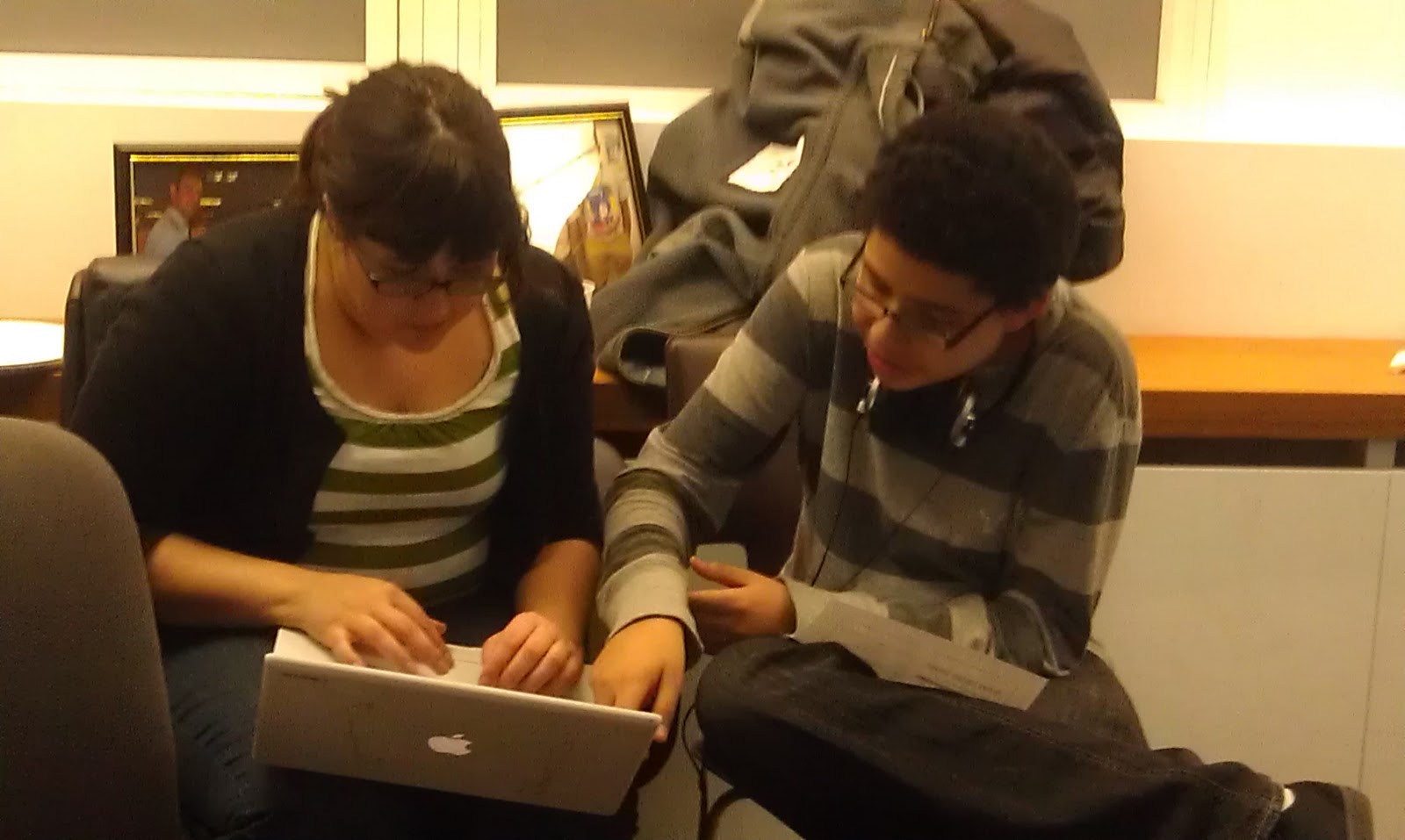
It was really great to see the youth teaching the adults how to code:

The final challenge of the day- "the moment you have all been waiting for," as Omar announced- was "holiday-ifying" any website of your choosing.  After an hour of break outs, hacking, and full on merriment, we had a group shareout. Participants messaged the text the mob site that we put up for the event, with their new websites:


Here is one of the hacks:


After the event was over, and we cleaned up the space, we held a team meeting for the youth facilitators. We debriefed the event, and discussed what went well- the icebreaker, the videos, the holiday challenge- and what we would do differently- time of the event, and dedicating more time to the practice mini challenge. Finally, I gave the youth who completed all the workshops, including this peer facilitation event- their cerification:

Overall- I would say that the event and the Hive MoYo Ambassador trainings were a success. I will follow up on our next steps in iterating this process in another blog post- but I leave you with a team photo. Special shout outs go to Marc Lesser and Meredith Summs of Mouse for hosting and being involved in all of the workshops: