Friday, December 9, 2011

Hack Jams for Youth, by Youth

The Hive Mozilla Youth Ambassador training theme of the day today was facilitation- aka Hack Jam 101. Although the thought of running an event can be daunting- our team of Mouse youth were up for the challenge. Today was the third session in our training series. It was another session of work that I have not tried out before- but I consider this a prototype for  a more formalized opportunity for youth.

The first thing that we did today- was discuss the upcoming hack jams that the MoYo Ambassadors will help facilitate. First, on Monday they will be running a hack jam for their peers at Mouse- and then later in the year they will be helping TASC with several after school programs.

We started the training by reviewing the 5 steps to running a hack jam for youth, which is part of the recently launched Hacktivity Kit.


The 5 steps guide readers from preparation to facilitation of an event for youth using the Hackasaurus tools.  The team of youth were quick to note that a hack jam- is like a music jam session- where participants could riff off of eachother's work!

We then reviewed the logistics for the event on Monday.
We looked at the event space and came up with several solutions for creating a maker space where participants can work in the "open".

 We also brainstormed and came up with a theme for our event- called "Hacking the Holidays." Our team quickly noted that we covered a lot of things in our two workshops, so we decided to simplify our hack jam by only covering hacking (not getting into webmaking). We came up with a list of learning objectives for the 2 hour event:


The group then set to work. The first order of business was coming up with a good ice breaker to communicate what we mean when we say "hack".  I made them play a game that Chloe Varelidi and I modded for the Media, Freedom and the Web festival.  Each participant got 3 cards- a Goal, Mechanic and Concept card. The goal and concept cards were filled out in advance but the youth came up with the concept for the final activity.


They came up with pretty creative solution including a tweet game- where users had to Hack a Tweet and a game where participants were presented with a problem in a photograph and had to edit the photo to in order to save the day. Ultimately- they decided to go with a dance battle game.

We then took some time to come up with an event plan for the jam. We came up with an agenda, and assigned roles:

We then paired  off an practiced talking to each other about the project. I then challenged the to make videos of their pitches on the topic of What is Hackasaurus and Why is it Important to Code.
(You can check out the fantastic video on Why It is Important to Code here.)

What is Hackasaurus by Omar and Youssef

Finally, we walked through everyone's roles for Monday and talked about what to do when troubleshooting. It was a great day and I know we all are looking forward to their first event on Monday.


Wednesday, December 7, 2011

Transitioning from Hacking to Webmaking

Today was the second HIVE Mozilla Youth Ambassador training at Mouse. Today was focused on making that pivotal move from hacking bits and pieces of the web with the X-Ray Goggles to designing webpages with HTML and style. This was the first time that I have ever lead a followup workshop to the initial "hack jam" type workshops where participants learned about the open web, what we mean by "hacking" and an intro to the Hackasaurus tools. For me this workshop is very important because it moves from the "a ha" moment that many users have when using the googles to look under the hood of a webpage, to the "roll up the sleeves" and get to work phase. Or, as Mimi Ito might say- from messing around to geeking out.


We started out by stretching our content creation muscles with the Superhero Design Challenge. Participants were asked to look back at the "I think X makes the web special" and the "I think that X makes the web difficult to use" brainstorms that we did in session 1. They chose one aspect of the web to defend or compete against if they were a Superhero of the Open Web. They then used this as the basis for creating  a short web- ready biography for their fictional superhero of the open web. We discussed what makes a good bio as well as what makes for good writing on the web.
The youth presented their stories:
"Captain  Super wall-  he has the power to throw fire balls at villains how try to cross the wall. A long time ago in a far school named cyber squad. were super wall a student was elected to go visit one of the most advanced technology in the hold city, but something when wrong in it’s visit. he touched  one of the controllers and he  when into  cyber world. it took him to  firewall city. where his mission is to let good information go in and burn bad things. "- by Jose
Then, they paired up and created an arch nemesis for their partner's superhero. Here is Captain Super Wall's arch nemesis, Title Wave:
"Title Wave sends title waves of info that is not needed does that because he thinks all info is good and also thinks that all info should have equal rights " - by Youssef
Now that they had bios, they were ready for some publicity! They went into online news organization sites and remixed the pages to include stories of their characters saving the day, or ruining the day as it were.   The youth had a great time taking photos with Photobooth on their computers and doing post production and image manipulation in Aviary:


They remixed the html and style with the X- Ray Goggles and presented their projects and talked a bit about how they trouble shooted problems with the coding.


We then discussed the various components that make up a webpage, including:  HTML, CSS, graphic assets and text content and reviewed that the combination of an opening tag and its corresponding closing tag and the content in between is called an element. 


The final challenge for this workshop was to make an instructional "how to" webpage from a template- without the goggles. In order to do this, we all came up with things that we we experts at- we had a peanut butter and jelly maker, a hand turkey illustrator, a good music connoisseur!  I gave everyone a crash course in web DESIGN. We talked about the importance in identifying a user and designed information architecture as well as wireframes for all of the sites.


Participants used a prototype that Atul Varma and I worked on as a spin off of the Hackbook that Anna Debenham created to help users craft webpages from templates.


In the end, everyone made the "how to" pages and we all critiqued the structure, style and design of each presenters work.

 How to Sleep


Overall the workshop was a  success - we user tested old and new tools as well as curriculum and workshop participants came a way with 2 webpages that they made in a stretch of 4 hours!

Next Up:  How to Run a Hack Jam on Friday.

Tuesday, December 6, 2011

Hacking your World: HIVE MoYo Ambassadors

Yesterday I lead the first of a series of 4 hour intensive learning labs at Mouse. This series of workshops will train youth to become what I am calling Mozilla Youth Ambassadors (it's a working title). That means that youth will learn Hackasaurus, HTML, CSS and facilitation in order to run hacking events and/or clubs. You can follow our group blog here.

The overall structure of the workshops will be:
Session 1: Intro to hacking, “open web” and intro to X-Ray Goggles
Session 2: Deeper dive into HTML and CSS – design challenge
Session 3: How to run a hack jam
Session 4: Practice jam with peers

Yesterday the teens came in and we started out by mind mapping. This gave us a chance to make sure that we were all on the same page when we talked about hacking, tinkering and coding.The teens paired off and responded to a challenge to define hacking in a tweet. Here are their final definitions:


We decided to test their definitions. The next challenge was to hack a board game. Our two teams chose to hack tic tac toe (which became Finger Tac) and monopoly (which became Hackopoly). The teams wrote new rules and then playtested each others games.

Throughout the course of the activity, we talked about our process and what options we had in terms of hacking the games.


After a break we talked a bit about what makes the web unique. As a group we came up with a list of things that make the webs special and things that make the web difficult to use:
We then talked about how the web was designed to be participatory and collaborative. We looked at a slide show that I created as part of the Hacktivity kit. It was nice to user test that- it worked really well. I think I am going to change some of the slides about installation because they are outdated since we changed the interface for the tools.

After a brief intro to the X-Ray Goggles, the teens hacked Google, and then I challenged them to hack a website of their choosing. The goal was to make as many changes as possible to hide the identity of the original site.


The teens hacked facebook, Tumblr, the NYC MTA page, Twitter, Apple and even the Mouse page!
Our next workshop is tomorrow. We will be learning HTML and CSS and moving from hacking to webmaking!


Thursday, November 17, 2011

Hello Mozillians


Last weekend I had the opportunity to go to MozCamp EU in Berlin . It was a truly inspiring experience- meeting community members from all over the world. I really learned a lot about localization. It was at once exciting and educational for me to learn to the extent that I did about how to reach a global community with my work from a global community. There were so many new faces and names, I just wanted to take this opportunity to say hello and how honored I am to be amongst you.

Monday, November 7, 2011

Prototyping Win for Hackasaurus at Mozilla Festival

This past weekend the Hackasaurus team was part of the Media, Freedom and the Web conference in London. 3 days = Hive London Pop Up for youth, 3 design challenge sessions + 2 game prototypes for the project. Whew! I thought it would be fun to re-hash the design challenge that we did with participants, because we ended up with 2 really useful prototypes that got me thinking about the future direction of the project.

We framed our design challenge prior to the festival as:
Interested in making a hackable comic book featuring superheroes of the open web? Or maybe an interactive story embedded with quests for webmakers? We want you to bring the spirit of the Hackasaurus design jam- online -- with a self-directed learning experience on www.hackasaurus.org. This is an opportunity to think creatively about how to teach HTML and CSS to middle school aged youth (10-15 year olds). We have designed a toolkit for Web designers and developers, that will give you all of the assets that you need to create an engaging online activity.
WHO SHOWED UP?

We had over 2 dozen participants- including teenagers, teachers, developers, designers, journalists, community activists and game-makers

HACK THE DANCE

The workshop started with our hack-the-dance icebreaker that we do with youth at hack jams. We did this because a) it's a whole lot of fun and b) we wanted to set the tone that we were building playful interactions for youth to learn HTML and CSS using the Hackasaurus X Ray Goggles.
BRAINSTORMING

After we got loose, we kicked off with a brainstorm game. Everyone broke into groups and were given three cards- a learning goal, a mechanic and an end product and they had to come up with a concept for a Hackasaurus learning project based on that. We played 3 rounds, and in each round the participants were given the chance to write - in more and more information on the cards.

As a result- we came up with about 7 different ideas for what we could prototype. We defined prototyping really loosely- it could be a storyboard, a sticky sketch, a tweet, an interactive website- whatever you needed to do to just communicate your IDEA.


Participants self-organized into groups and by the end of the day we had two distinct projects: Doctor Web and Hacker Battle.

Even though the groups started out with 2 ideas- after numerous iterations and sketches, the concepts morphed. For example, one group- started out with this idea for a Popcorn.js curated Hack gallery for users to display their remixed websites- however, after pitching to our group and getting feedback and iterating on the concept- that exact idea turned into a Hack Battle game where participants could post their hacked websites up on to a challenge page and compete against other users who changed the code on the same website.

THE PROTOTYPES

Title: Doctor Web
Concept: You are a doctor responding to a medical emergency! Your interns incorrectly fixed a patient (Website Master) and now he is a complete mess. It's your job to dig into his HTML and CSS to fix him up- but hurry up before his health completely depletes!

Interactive Prototype:


Title: Hack Battle
Concept: After learners remix a website - they can submit their hack into the Hack battle where website visitors vote on the best hacked version of whatever website the learner started from.

Interactive Prototype: here


DEMO + BEYOND

We demo-ed the prototypes at the Mozilla closing circle and received some positive feedback. So what now? I feel very excited about the possibility of these prototypes because they fill two voids in our project: Doctor Web gives users a playful introduction to both the X-Ray Goggles and HTML/CSS and Hack Battle provides a social, community space for users to collaborate and communicate.

We need to continue building out these prototypes. One of the great things about the Festival was that we had the end-user in the room with us developing, that is- a teenager. Also- we had a plethora of experts helping to design these experiences. Let's continue to work together- because, clearly, the power of numbers and the diversity of community members engaged in webmaking and media-making has proven to be a huge win for us.

Friday, September 9, 2011

Working with Educators on Hackasaurus

This week I have been working on building out the educational objectives, sample lesson plan and assessment rubric to go in the Hackasaurus jam-in-a-box. The process for this has been interesting because I am trying to do this in an "open" manner so that it is truly designed as an open educational resource. In order to do this I found myself working on a strategy to engage the education community to help review my work and most importantly iterate and come up with new ideas.

I have reached out to people through social media and direct asks. The response has been good and it is definitely a start. Many of the people who responded wrote me back with statements like:
"I know absolutely nothing about code or html, but I want to learn and help the project succeed."

"I would like to try and help. I have daughters now in bother senior / junior so it may be possible for me to run a Hackasaurus event."

"Count me in!"


This is really positive and so now the challenge becomes, what is the best way to work collaboratively with all of these kinds of contributors? At the moment, I am building out the jam-in-a-box on a wiki and then, connecting content mostly through etherpads.
This is kind of a hacky way of being collaborative. It really just let's people contribute by editing, but doesn't truly encourage webmaking.

I am inspired a bit by the way that p2pu is developing out their challenge template and I see that this is on git so Atul and I might fork it and try to develop it out for our purposes.


I like how essentially it is a table... but in my mind it is a sharing repository where educators can post lesson plans and resources, and just like git hub- fork ideas and build upon them and post new ideas. It can be searched, used and built upon.

I would love to hear other ways that could support working in the open- and I mean working- webmaking, not just editing!

Tuesday, September 6, 2011

Call for Educators!

Happy first day of back-to-school for many of you! I am writing because we are coming very close to shipping beta for Hackasaurus and I wanted to see if any educators are interested in working with me to give feedback and iterate on some of the Open Educational Resource materials that we are building. These resources include the design jam-in-a-box which gives you all of the tools that you need to run a Hackasaurus event- whether you are a teacher, parent, informal educator or a teen running a workshop.

In the next ten days I would like to get some specific feedback on the learning goals, learning assessment rubric and a superhero of the open web lesson plan/ design challenge.

If you are interested in helping, please shoot me an email at: jess (at) mozillafoundation (dot) org

Thanks and happy hacking and webmaking!

Friday, August 26, 2011

Badges: Level Up your Webmaking Skills

Badges are huge topic in the digital media and learning world and something that I have been working with in some form ever since I have entered into the realm of educational technology. To be honest, I have struggled with my feeling towards badges, that is to say, assessment for skills that you aren't always given credit for.

The Mozilla Open Badges Project describes badges on their wiki:
Badges give you public recognition for your skills, achievements and learning beyond the classroom -- unlocking job and educational opportunities.
The reason that I struggle is that I am concerned that badges allow you to formalize something that is blissfully informal. One example of my fear around this was when I was in Barcelona at the Learning, Freedom and the Web festival. My colleague Jack Martin and I participated in this local learning incubator where we told a story with twitter. It was a fantastic and fun day and we loved what we made just as much as we did making it. However, after the activity was over, a learning assessment team came over during our presentation of our story and gave us badges for our story. It somehow cheapened the experience that Jack and I had and sort of reminded me that, yeah this was about learning and grading-not the fun experience.

Ok, now that I have that off my shoulders- I find the idea of using badges to assess web design skills intriguing. Many web designers and developers learned webmaking skills in informal settings- hanging out with friends, navigating the web on their own, tinkering with blog sites. However, theses skills equate to real life work competencies that often need to be proven in some form when you are applying for work (for example). What if there WAS a way to say, bring along some form of street cred and accreditation into your interviews along with your portfolio?

So with all of this enthusiasm, and mild trepidation- I started to look at the learning objectives for Hackasaurus and, with the help of Matt Thompson and Atul Varma, started to answer the question: if Hackasaurus had a system for badges what would the badges look like?

Essentially I came up with 5 core badges and then 3 "level up" badges. The level up badges are really geared towards refinement and mastery, whereas the core badges are a compilation of hard and soft webmaking skills. These badges can be mapped to a structured and scaffolded curriculum, or be achieved in a more organic (non-linear) way. What will be an interesting mechanic for the project is the dissemination of the badges. Right now, we are thinking that a learner can acquire a badge physically in a design jam or online through some sort of self guided experience

The badges I came up with are described here. It's just a barely baked idea, and Atul, Matt and I are really just starting to tinker with how badges could support the learning experience. We won't be actually implementing this online for a little bit, however, I would love to hear your thoughts on how this maps to the learning outcomes and if you have any other ideas. The Tuesday Hackasaurus community call will focus on badges. Join us if you have the time.


Tuesday, August 16, 2011

Learning Objectives for Hackasaurus

While many people speak about how Hackasaurus is an open source development project, I think that it is important to note that this is an open educational resource project (OER) as well. What is particularly challenging and stimulating about the work that I do is that I am integrating ideas and creative thinking of both technologists and educators on a daily basis.

The project was birthed out of conversations between Mozilla and The Hive Learning Networks in New York and Chicago. Some of the initial test beds for the project were the New York Pubic Library, The Chicago Public Library YouMedia and the New York Hall of Science. The Hive involvement in the project is still strong and we have more contributors including the Digital Youth Network, Eyebeam, The National Writing Project, the Institute of Play and Mouse, as well as many international contributors, including Brussels, Barcelona, the United Kingdom and Nigeria. The strong involvement of these organizations as well as individual educators who have volunteered their time and energy towards Hackasaurus helps to strengthen the design of the tools as well as the curricular aspects of the project.

The development team of the project and the learning experience team worked together to iterate on defining the learning objectives for the project. I am sharing with you a bit of our thinking around this because I feel that it is truly interesting to see how our project has evolved over the past year as well as where we believe that we are headed.

We initially came up with a set of learning objectives that we know we are currently satisfying with our tools and design jams. The objectives sketched out here more or less fit into three categories: browser basics, web making basics and tool basics.


We then started to develop out what our aspirational learning objectives are for the project. This included everything from being able to code websites to understanding what ethical web making means. One area of particular interest was defining what we mean when we talk to teens and tweens about the open web, which one participant on our open web etherpad described as:

"It's better to teach kids how to tie their shoelaces (an "open" skill needed for making knots, useful for many other purposes) vs just making them use shoes with easy Velcro fasteners (which is also much less challenging for developing fine motor skills)."
This process was really interesting because it was a mix of the technical side of building for the web with the emotional side of creating- that is, acknowledging that humans are crafting the web and thus, have a responsibility to themselves and others to understand the power of their medium. Finally, and this was probably the most difficult part for us, we started to list what are NOT our learning objectives. Yeah, this list is probably too short, but I think that it is a good place for us to begin. Ultimately the learning experience that we are interested in supporting is that of a web maker, someone who is thinking of the web as a place for designing, crafting, challenging and coding, which allowed us to remove some of the other areas that are tangentially associated with the work we do, but are not our direct focus.

Monday, August 15, 2011

The initial frontier: Hackasaurus Training Missions

Last week, Atul Varma, David Humphrey and I took some time to think about crafting specific missions or quests that were directly mapped to initial interactions or skills that can be acquired when using the Hackasaurus X Ray Goggles. These training missions are being thought of as a way to introduce a new user to the "Hackasaurus" experience (no relation to the Jimi Hendrix Experience). Here is a little summary of our prototyping session.

The first thing that we did, was list the basic kinds of interactions that we know teens either have or that we would like them to have with the goggles:

Some of these interactions are really for advanced users. For example, ascending or descending to parent/child elements is something that really gets users to start to explore the Document Object Model (DOM), however isn't learned on the first day or hour with the tool. We also thought about more "hackable" interactions, or ways that teens could start to explore code- without actually knowing any code (ie- hacking javascript code without know how to program). As a result we came up with 4 concepts for training missions using the X-Ray Goggles.

Prototype 1:
Skill: Learn how to read and edit links
The idea for this sketch is that you can edit a link. So here, you have three animal links that connect to wikipedia entries, except the link for cat goes to an ugly dog- so the user will have to change that link using the goggles

Prototype 2:
Skill: Learn how to delete an element
The idea here is that the ball is moving around the frame (which has kind of a Super Mario Brothers set) and the goal is to get the ball into the basket which cant be done until you delete the div of the bar that is blocking the basket, using the goggles of course.

Prototype 3:
Skill: Learn how to edit javascript
This sketch shows this idea about kind of creating a "pinball" effect by increasing a value in javascript. The idea is that even if you don't know everything about javascript, you can hack it to make it work for you. When you increase the value to the correct amount, the ball will fly to the "pow" or portal button that takes you to the next training mission.

Prototype4:
Skill: Learn how to use CSS
This sketch shows that a user can use css to create an avatar . The idea would be that using the goggles with the CSS functionality (and even html editing) you can either reposition the objects to cover the avatar body and/or add your own elements to personalize it.


In the future at some point, we will prototype these using the repository on GitHub that Atul made for Hacker Parcours and game like creations.

Storyboard for Hackable Comic

As I mentioned, last week I worked with Anna Debenham and some local tweens from Toronto on this hackable comic idea. We prototyped a simple storyboard for what could be the intro to the comic- how the main character (currently Sue) acquires her superpowers of hacking the world wide web for the good of the world.

I drew up the comic and played around quite a bit with navigation (horizontal vs vertical vs ZOOM). Additionally, we started to think about how we could incorporate actual hacking in the comic. There is a moment for activating the goggles and a sketch about how one of the characters is saved by the deletion of an element using HTML.

Here is my mock up (pulled together using Photoshop stitching):

Click on the image and go to Flickr for the best viewing. I annotated the flickr version with tons of notes to explain both the story and the interactivity.


Sunday, August 14, 2011

What the Hackasaurus team does on our day off

Atul, Anna and I are in Toronto for a Hackasaurus team design sprint to beta. Yesterday we took some time to relax. Wondering what the Hackasaurus team does when we have a day off? We went to the Royal Ontario Museum- and spent some time with the dinosaurs (of course)

Atul loves looking at fossils!


This is the icon on the displays to show when to use the audio tour. Pretty awesome, right?

Anna and I were quite fond of the big dinosaurs. Rawr

Although there were no Hackasaur sightings, we have informed the paleontologists that they should start researching around the new Mozilla office stomping grounds- just in case.

Thursday, August 11, 2011

Hackable Comics

This week at the Mozilla offices, we have been participating in a game design sprint to explore using the Hackasaurus tools as controllers for game play as well as building some games with integrated learning experiences. My colleague, Atul Varma, has already created a prototype for what I think could become kind of a mad libs + a choose your own adventure. It is a fantastic vehicle for us to teach learners how to use the tools as well as guide them through some very basic lessons in hacking html. Ever since I saw his Parable of the Hackasaurus, I have been inspired to create a hackable html5 comic.

But, maybe I should take this back a notch and talk about me and my relationship with comics. I love stories and in particular I love stories that are told in visual form. I read and collect children's books. I liked comics that I saw in newspapers, but it wasn't until I was really about 16 that I found them meaningful to me. As a grown up, I am an avid reader of graphic novels and I love anime and thus, can often be found attending comic con or geeking out at comic book stores. Whenever I was asked as a teenager what I wanted to be when I grew up- I said a children's book illustrator. Eventually my aspirations extended into comics. However, as I matured as an artist, I really started to become involved in designing interactive spaces and I just couldn't figure out how that factored into my comic/childrens book dream. I always keep around a sketch book, where I doodle little comics and drawings about my life- but I have never felt that it was a place for me to really share with others. I think that I made this distinction because to me, comics are personal spaces that you explore on your own and appreciate in the quietness of your own world.


doodle from my Israel sketchbook

However, my thinking about this started to change as I saw the possibilities of HTML5 and comics. Disney's Tron: Legacy interactive comic is absolutely beautiful and for me, it was a moment where my two worlds collided. Working on the computer, is a personal thing for the most part. You have your screen, and keyboard, and the path in the world wide web that you choose to explore is yours alone. The intimacy of reading the comic in the bookstore corner was somehow retained in the html5 experience. In the past when I have tried to get into reading comics online,the scrolling, the screen display, everything just seemed like it was just copying and pasting the comic from print to online and it wasn't translating. However, with these new HTML5 comics, like Tron and Never Mind the Bullets, the medium of the comic have been taken to a new level. While these initial experiments with html5 are really dabbling with interactivity, I think it is worth noting some of the interactions that make the experience unique to the medium.

With a web- based comic, you have the ability to expand on what it means to represent a non- linear narrative. This can be done in a truly clever way, by zooming into and linking to elements and really exploiting the nature of the web. I can think of endless possibilities in terms of breaking frames and giving the reader/user the opportunity to engage with the crafted comic world in a new way. Finally, something that is uniquely exciting about HTML5 (as opposed to Flash) is that content being developed can be remixable and hackable, allowing you to essentially insert yourself into the story and in effect, connect with the content in a more meaningful way. This possibility highlights the potential for the reader to become not just a user- but a player, conspirator, a dreamer and a maker.

I am working on creating a hackable comic prototype this week. So far I have just drafted a few frames of the narrative and in collaboration with my colleague Anna Debenham, have sketched out a few scenarios that give you the power to exploit the unique affordances of this interactive medium.

This week we tested the idea on a bunch of tween game designers who were helping the Hackasaurus team come up with game like ideas for the project. The feedback that we received about the comic was fantastic and I am really motivated to move forward.

If you are interested in learning more about Hackasaurus, or are interested in our work around gaming, and play- please visit the Hackasaurus website


Tuesday, August 2, 2011

Hackasaurus Cheat Sheet

Sometimes you need a little something something to remind you which keys do what when you are using the Hackasaurus goggles. I pulled together this little cheat to have beside you as you are remixing websites with the Hackasaurus tools.

Tuesday, April 26, 2011

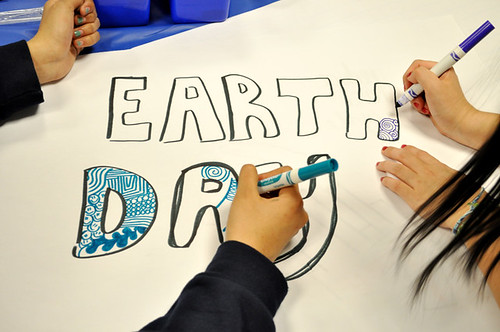
The Earth Day My Carbon Footprint 3D Design Hack Jam for Youth at the New York Hall of Science

This post is co-written with guest-blogger Chris Lawrence, Director of Formal and Informal Learning at the New York Hall of Science

Earth Day Design Jam. Apr 22 2011


"The Earth Day My Carbon Footprint 3D Design Hack Jam is easily the most rewarding day at NYSCI I have had in a while" Chris Lawrence, NYSCI

On April 22, 2011, tweens, teens and families celebrated Earth Day at the New York Hall of Science (NYSCI) My Carbon Footprint 3D Design Hack Jam. If you have any hesitation about hitching a ride on the "design jam" bandwagon, then you just need to witness the array of projects and hear the experiences that were had by participants at this event.

The event brought together youth from two NYSCI Schools Out Innovation camps that were running during the New York City spring break. Both camps were made up of middle school age youth who had been exploring in detail themes of the Jam such as 3D design, climate change and digital tools. While the camp was a structured informal learning experience, the Hack Jam allowed the youth to showcase their expertise in a much more free flowing and interest driven environment. In addition to the NYSCI campers, there were also NYSCI Explainers and Explainer Interns who work at NYSCI and are involved in both in leading the camps and participating in digital design projects with NYSCI Education staff. These Explainers ranged in age from 15-20. The Jam was orchestrated by the staff at NYSCI and the New Youth City Learning Network, and made possible by the Mozilla Foundation, The MacArthur Foundation, The National Science Foundation and the Deutsche Bank Climate Change Advisors. However what made it successful is that the teenage NYSCI Explainers took ownership in the event and acted as peer mentors for all of the activities taking place.


"Today was amazing! I came by the "build jam" today and it was really good. A lot of different events went on, and so far this is the biggest build jam i've been into. I just wanted to blog about what a wonderful time i had and how amazing this build jam was :)" blog post from NYSCI Explainer Intern and Virtual Hall of Science designer Yessenia Bautista

Earth Day Design Jam. Apr 22 2011

Like a music jam, participants at this event, worked on many different kinds of projects and then riffed off of each other to produce a collaborative online 3D exhibition space with the theme of human's carbon footprint on Earth. The event space was organized around work stations:

NYSCI's Virtual Hall of Science is a 3D world built in the Active Worlds software similar to Second Life. Teens had the chance to work with each other to develop interactive exhibits, scavenger hunts and virtual stories all building around the theme of Earth Day. In order to do this, teens used various technologies including Active Worlds, digital imaging software and Google Sketchup. The VHOS team placed the beginnings of two exhibits in the Deutsche Bank Climate Change Advisors "wing" of VHOS, a map of the United States and blank gallery walls. Hack Jam participants then researched various temperatures through geological time and placed pinned them to the interactive map. Contests were held to see who could place the most data points on the VHOS map, with 15 being the winner! The blank walls were where digital photos were currated and hung to demonstrate what youth were understanding about their carbon footprint both inside and outside the walls of NYSCI. Funding for the Virtual Hall of Science project is provided by the National Science Foundation.


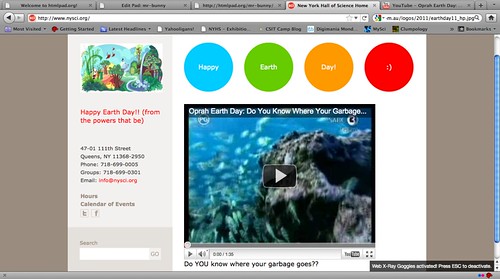
Hackasaurus- This station gave participants the opportunity to learn how to locally hack websites, so that they could remix the content and also learn how to develop their own websites. Hackasaurus is a Mozilla and MacArthur Foundation initiative that helps teens learn how to design and develop for the web. Teens who came to this station made hacks and shared them on Flickr like this:

Earth Day Site!!

and some, who really got into the project geeked out and made websites like this
and shared it in the VHOS exhibition space.

"Jessica showed us how to use Hackasaurus and delete and change elements of a webpage (locally only). The Hackasaurus Firefox add-on is really cool. When we started out, I didn't know how it worked and actually "went backwards" and made my own website before I learned how to hack an existing one." blog post from Jam participant, Ishum.

Digital Imaging- Earth Day is a time to embrace the outdoors, so many teens left the Jam and took photos and videos outside while looking for examples of our carbon footprint. They then creatively integrated the best images into a photo gallery in VHOS, or embedded into participant created websites.

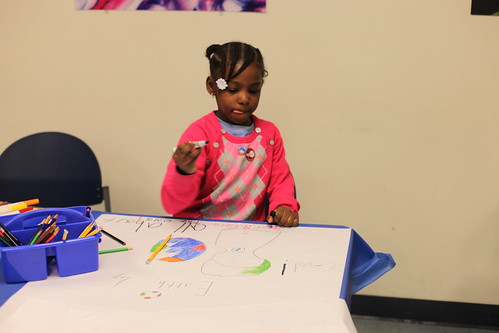
Paper Prototyping- Some participants wanted to sketch out concepts before taking their work online, others wanted to draw assets to be incorporated into VHOS after they were photographed, and some teens just wanted to use their hands and draw. This station accommodate all of the designers who were interested in mixed media in some form.


Paper Prototyping at NYSCI hack jam

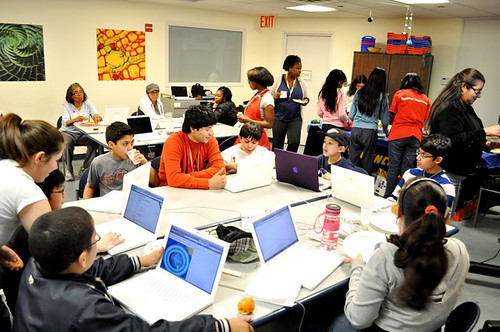
The event was intentionally designed to be messy, so that participants could float around from station to station to play, explore and create. The room was laid out with tables containing digital and analog materials. A LCD screen and two projectors were positioned so participants could share their work and see what other teens were doing at any given point during the event. At many times during the Jam the room was a hot wonderful mess of wires, laptops, butcher paper, crayons, cameras and snacks! The beginning of the event was scaffolded so that teens could move around and experiment with all of the tools available. Many of the youth took this opportunity to explore while others had a clear focus on what interested them. Interestingly within a few hours teens were in control and had both sampled at least a few of the activities while also getting down to some serious tinkering!

An unantipated joy was the inclusion of family members of the youth participants. We had teachers who had come to visit their students in the NYSCI Innovation Camps, parents excited to join the fun and many siblings (ages 2-12!) who saddled up to their brothers, sisters and cousins to learn about and participate in all the making. A head count of participants of all ages topped 75 people by the Jam's end at 6 PM.


The event was successful because teens had a multitude of tools and mediums to explore their interests in science, the environment and digital media and they embraced the casual atmosphere of the Jam as a moment to experiment and share. The Jam incorporated the programmatic work that NYSCI and the NYCLN are doing, however both organizations allowed their work to be remixed in the event so that teens and staff worked on different projects and could collaborate in a social setting. The result was that over 50 youth played in different modalities, self-identified as experts in a variety of thematic as well as technical areas, and established working relationships with peers.


What will you be doing for your Jam?